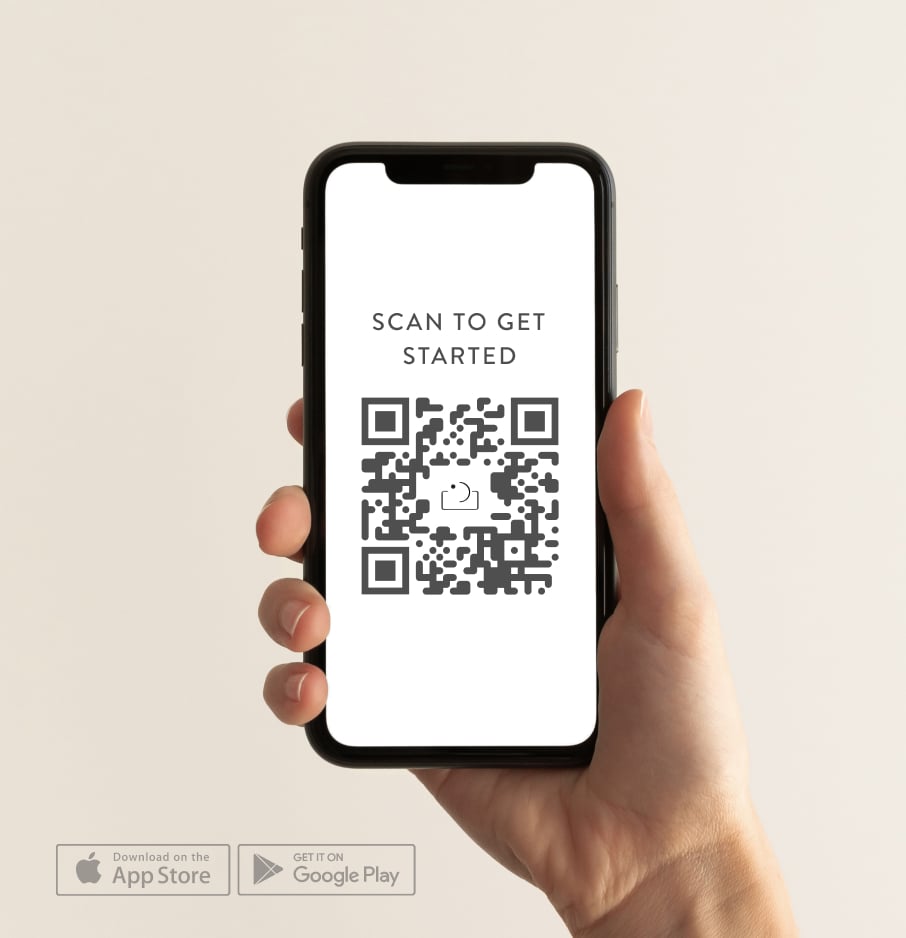




Sending the contract is the moment a "maybe" becomes a paying client — and the moment most photographers either lose hours to admin, or quietly skip the legal protection altogether and hope nothing goes wrong.
This guide walks you through exactly how to send a photography contract in 2026: what to include, how to make it legally enforceable, how to take a deposit at the same time, and how to do the whole thing in under five minutes from your phone.
TL;DR — the 60-second version
- Use a photography-specific contract template (don't write one from scratch).
- Customise: client name, shoot date, deliverables, fee, deposit amount, cancellation terms.
- Send via an e-signature tool that timestamps and stores the signed copy.
- Pair the contract with a deposit invoice — clients sign and pay in one flow.
- Keep a copy. The signed PDF is your protection if anything goes wrong.
For a deeper look at the clauses themselves, see our companion photography contract checklist.
Why every photographer needs a contract — every time
A handshake feels good. It also leaves you exposed. The three things that go wrong most often in photography are also the three things a contract solves:
- Cancellations and reschedules. Without a contract, "we don't need it anymore" usually means "I'm not paying you the deposit either."
- Scope creep. "Can you stay another hour?" turns into a free hour without a clearly-defined deliverables clause.
- Image-use disputes. Who can post the photos? Where? Can you use them for marketing? Without a contract, the answer is whatever the client decides later.
A contract isn't there to make you sound corporate. It's a one-page conversation that gets every expectation in writing — once — and protects both sides if something unexpected happens.
It's also worth saying clearly: a verbal agreement is far harder to enforce than a signed one, and for higher-value work like weddings, brand shoots or anything multi-day, the absence of a written record can cost you the entire fee if a dispute arises.
Why is emailing a PDF contract a bad idea?
Most photographers start here because it feels free. You write a contract in Word, save it as a PDF, attach it to an email, and ask the client to print, sign, scan, and send it back. It works, until it doesn't, and here is where it breaks down.
There is no audit trail
An email attachment does not prove anyone opened it, read it, or agreed to it. If a client later claims they never saw a clause, or never agreed to your cancellation policy, you have no system-generated record proving otherwise. A signed PDF sitting in your inbox is not evidence of consent, it is evidence you sent a file.
There is no verified timestamp
E-signature platforms timestamp the exact moment a document is opened and the exact moment it is signed, tied to an IP address and device. An emailed PDF has whatever timestamp the client's scanner or phone camera app assigned, which proves nothing about when they actually agreed to your terms.
It carries less legal weight in many jurisdictions
Most e-signature platforms comply with the U.S. ESIGN Act, UETA, and equivalent frameworks like eIDAS in the EU, which is why courts treat their audit logs as reliable evidence. A photo of a signature on a printed page, forwarded back over email, does not carry the same weight if a dispute ends up in small claims court.
It has a high drop-off rate
"Print, sign, scan, send back" is four extra steps between "I want to book you" and "I am booked." Photographers who still use this method report clients who verbally commit and then go quiet for a week because the paperwork felt like a chore. Every extra step between interest and signature is a chance for a client to book someone else instead.
What to include in a photography contract
A solid photography contract — wedding, portrait, commercial or otherwise — should cover the following nine sections. We've grouped them so you can adapt them quickly.
1. The basics
- Full legal name of you / your business
- Full legal name of the client
- Date the contract is being entered into
2. The shoot
- Date(s) of the shoot
- Location(s) and start/end times
- Any agreed-upon coverage details (hours, number of locations, second shooter, etc.)
- What happens if weather, illness or force majeure intervenes
3. Deliverables
- Number of edited images (or "all good frames" if that's your model)
- Format (digital download, print, USB, gallery)
- Delivery timeframe (e.g. "within 6 weeks of the shoot")
- Print release / commercial use rights
4. Fees
- Total fee
- Deposit (often 25–50% of the total) and when it's due
- Balance due date
- Accepted payment methods
- Late payment policy (e.g. 5% per month after 14 days overdue)
5. Cancellation & rescheduling
- Deposit policy (almost always non-refundable — and clearly stated)
- Notice period for rescheduling
- What happens if you have to cancel (illness, equipment failure)
6. Image use & copyright
- Who owns copyright (you, almost always)
- What the client can do with the images (personal use, social, commercial)
- What you can do with the images (portfolio, marketing, social, third-party submissions)
- Model release for any minors
7. Liability
- Limit of liability (usually capped at the value of the shoot)
- What happens if you can't deliver due to circumstances outside your control
8. Privacy
- How you store and use client information
- GDPR / Australian Privacy Act / equivalent compliance if relevant
9. Signatures
- Both parties sign and date
- Each party gets a copy
That's the universal structure. You'll tighten or expand individual sections depending on whether you're shooting weddings (more detail on timing and weather), commercial work (more detail on image rights and usage), or family portraits (simpler). Our contract checklist goes through each of these clauses in more depth.
How to send a photography contract: 5 steps
Step 1 — Pick a template, don't write from scratch
Unless you're a lawyer, drafting a contract from a blank page is a slow, error-prone way to lose an afternoon. Use a photography-specific template — your CRM will usually include one, or you can grab a free one from a reputable source.
Inside Unscripted, the in-app contract templates are built for a range of shoot types — portrait, wedding, family, branding, newborn and elopement — with placeholders for everything in the checklist above.
Step 2 — Customise for the client
Every contract you send should be specific to:
- The client's full legal name
- The exact shoot date(s) and location
- The agreed-upon deliverables and price
- Any custom clauses you've agreed verbally (e.g. "Client agrees to have shoes off for the beach session")
If you find yourself sending the same contract identically every time, you're either lucky or you're missing details. Take five extra minutes to personalise.
Step 3 — Choose an e-signature tool
In 2026, almost no client wants to print, sign, scan and email back a PDF. They want to tap, sign with their finger, and be done.
E-signature tools fall into three categories:
- General-purpose — DocuSign, Dropbox Sign, Adobe Sign. Powerful, but not photography-specific, and you have to assemble the contract elsewhere.
- PDF-with-signature — lightweight PDF tools. Cheap, but no template library.
- Photography CRMs with built-in e-sign — Unscripted, HoneyBook, Studio Ninja, Bloom, Dubsado. Contract templates, e-sign and payment in one tool.
The photography-CRM path is by far the fastest because the contract, the e-signature, the deposit invoice and the client's record are all in the same place.
Which e-signature tool should a photographer use?
The right tool depends on whether you want e-signature as a standalone utility or as part of a bigger photography business system. Here is how the main options compare for 2026.
Unscripted - Per-document fee: No, unlimited on plan - Mobile e-sign: Excellent, native mobile app - Contract + deposit in one flow: Yes, single screen - Built for photographers: Yes - Starts at: 7-day free trial, then about $17/month
HoneyBook - Per-document fee: No, unlimited on plan - Mobile e-sign: Good - Contract + deposit in one flow: Yes, via proposal + invoice - Built for photographers: No, general creative CRM - Starts at: $29/month billed annually ($36 monthly)
Dubsado - Per-document fee: No, unlimited on plan - Mobile e-sign: Fair, desktop-first - Contract + deposit in one flow: Partial, via linked invoice - Built for photographers: No, general service CRM - Starts at: $35/month (Starter)
DocuSign - Per-document fee: No, but Personal is capped at 5 envelopes/month - Mobile e-sign: Good - Contract + deposit in one flow: No, e-sign only - Built for photographers: No, general business tool - Starts at: $10/month billed annually ($15 monthly)
HelloSign (Dropbox Sign) - Per-document fee: No, unlimited signature requests on paid plans - Mobile e-sign: Good - Contract + deposit in one flow: No, e-sign only - Built for photographers: No, general business tool - Starts at: $15/month billed annually ($180/year)
PandaDoc - Per-document fee: No, unlimited on plan - Mobile e-sign: Fair - Contract + deposit in one flow: Yes, via quote + payment block - Built for photographers: No, general business tool - Starts at: $19/month billed annually ($35 monthly)
Adobe Sign - Per-document fee: Sometimes per-transaction on lower tiers - Mobile e-sign: Fair - Contract + deposit in one flow: No, e-sign only - Built for photographers: No, general business tool - Starts at: $14.99/month on an annual plan ($24.99 monthly)
The pattern to notice: pure e-signature tools like DocuSign, HelloSign, and Adobe Sign are excellent at the one job they do, capturing a legally sound signature, but they were not built to also collect the deposit, store the client relationship, or hand you a gallery and invoicing system afterward. General creative CRMs like HoneyBook, Dubsado, and PandaDoc bundle contracts with invoicing but were not built specifically around a photographer's shoot-day reality. Photography-specific tools close that gap.
Delivery and read receipts
A good e-sign platform tells you three things automatically: the document was delivered, the document was opened, and the document was signed. This closes the loop that email leaves open. If a client says "I never got the contract," you can check the delivery log instead of taking their word for it. If a client has opened it three times but not signed, that is your cue to follow up before the booking stalls.
This is also where storage matters. A signed contract that only lives in your email is one deleted thread away from disappearing. A dedicated contract tool stores the signed document, the audit trail, and the deposit receipt together, tied to the client's profile, searchable months or years later if a dispute, an insurance claim, or a tax audit requires you to produce it.
Step 4 — Pair it with a deposit invoice
The single biggest mistake we see is photographers sending the contract first, then a separate "now please pay" invoice three days later. By that time the client's enthusiasm has cooled.
The right move: send the contract and the deposit invoice together, and tell the client the booking is only confirmed when both are completed. Inside Unscripted (and most photography CRMs), this is one workflow — the client signs, then is taken straight to the payment page.
If you only learn one thing from this post, learn this. Pairing the contract and deposit in one flow closes the gap where bookings go cold between signing and paying — it's consistently one of the highest-impact changes a photographer can make to their booking process.
Step 5 — Save the signed copy and confirm the booking
Once both parties have signed:
- Store the signed PDF somewhere safe (your CRM does this automatically; if you're using a general tool, save it to a dedicated folder backed up to cloud storage).
- Send a short booking confirmation email — date, location, deliverables, balance due date.
- Add the shoot to your calendar with a reminder one week before the balance is due.
Done. The booking is real, you're protected, and you can stop thinking about it.
How long does it take?
Done with a photography CRM:
- Open the client's enquiry — 30 seconds
- Pick contract template, fill in the personalised fields — 2 minutes
- Set deposit amount, attach to the contract — 30 seconds
- Send — 5 seconds
That's under three minutes from "I want this booking" to "the contract is in their inbox." Clients often sign and pay the same day.
Done with a generic PDF-and-email workflow, the same process takes far longer per client and tends to involve at least one back-and-forth chasing the signature. Across a year of bookings, that adds up to hours of avoidable admin.
Common mistakes to avoid
- Sending without a deposit clause. A contract without a non-refundable deposit is a polite suggestion. Always include one.
- Using a wedding contract for a brand shoot (or vice versa). Image rights, usage, and liability differ wildly between shoot types. Use the right template.
- Forgetting to update the date. Sending a template dated to last year is the most common embarrassing typo in our category. Use templates that auto-fill the current date.
- No reminder if unsigned. Set a follow-up if the contract isn't signed within a couple of days. Most CRMs can do this for you.
- Not keeping the signed copy. If a dispute happens 18 months later, the signed PDF is your defence. Store it.
The fastest way to send a contract in 2026
If you're sending more than a couple of contracts a month, the answer is a photography CRM with contracts, e-signing and deposit collection built in. You'll cut the admin from 20+ minutes per booking to under three.
Unscripted brings photography-specific contract templates, e-signature and deposit invoicing together in one mobile-first app, so the contract, the payment and the client's record all live in the same place. If you want to see how it compares to the other options, start with our guide to the best CRM for photographers.
What does the mobile e-sign workflow look like?
Here is the workflow photographers run when the contract lives inside a mobile-first app rather than a desktop-only CRM.
Before the shoot or consult:
- Client inquires through your website, Instagram DM, or a booking form.
- You reply from your phone with availability and pricing.
- Client confirms, you send the contract from the same app, on your phone, before the conversation goes cold.
On shoot day, for walk-up or day-of bookings:
- You pull up the contract on your phone.
- The client signs directly on your screen, or you send it to their phone in one tap and they sign it on the spot.
- You collect the deposit in the same screen, same flow.
- You get a confirmation that the document was signed and the deposit cleared, before you have even started shooting.
This matters most for photographers who book on the fly: markets, referral walk-ups, or last-minute add-ons during an event. If your contract tool needs a laptop, you either delay the booking or skip the contract, and skipping the contract is the actual risk here.
Related reading
This article is general information, not legal advice. For high-value or complex shoots, run your contract template past a lawyer in your jurisdiction.
Frequently asked questions
Is an electronic signature legally binding for a photography contract?
What's the standard deposit for a photography contract?
Should I write my own contract or use a template?
How quickly should clients sign the contract?
Do I need a different contract for every shoot type?
Can I send a contract from my phone?
What happens if a client cancels after signing?